July
Product Work
While interning at July, I designed a number of features which were shipped to the product page, and are in use today. Working within a live product helped me hone my organization and design communication skills, practice customer research with paying users, and perfect engineering handoffs via Linear.
CATEGORY
YEAR
ROLE
UX/UI Design
2025
Design Intern
Team Page
The purpose of this page was to create a cohesive environment to manage closely tied elements that were previously fragmented in the old design system: managers, assigned talent, contacts, roles, team info, permissions, etc.
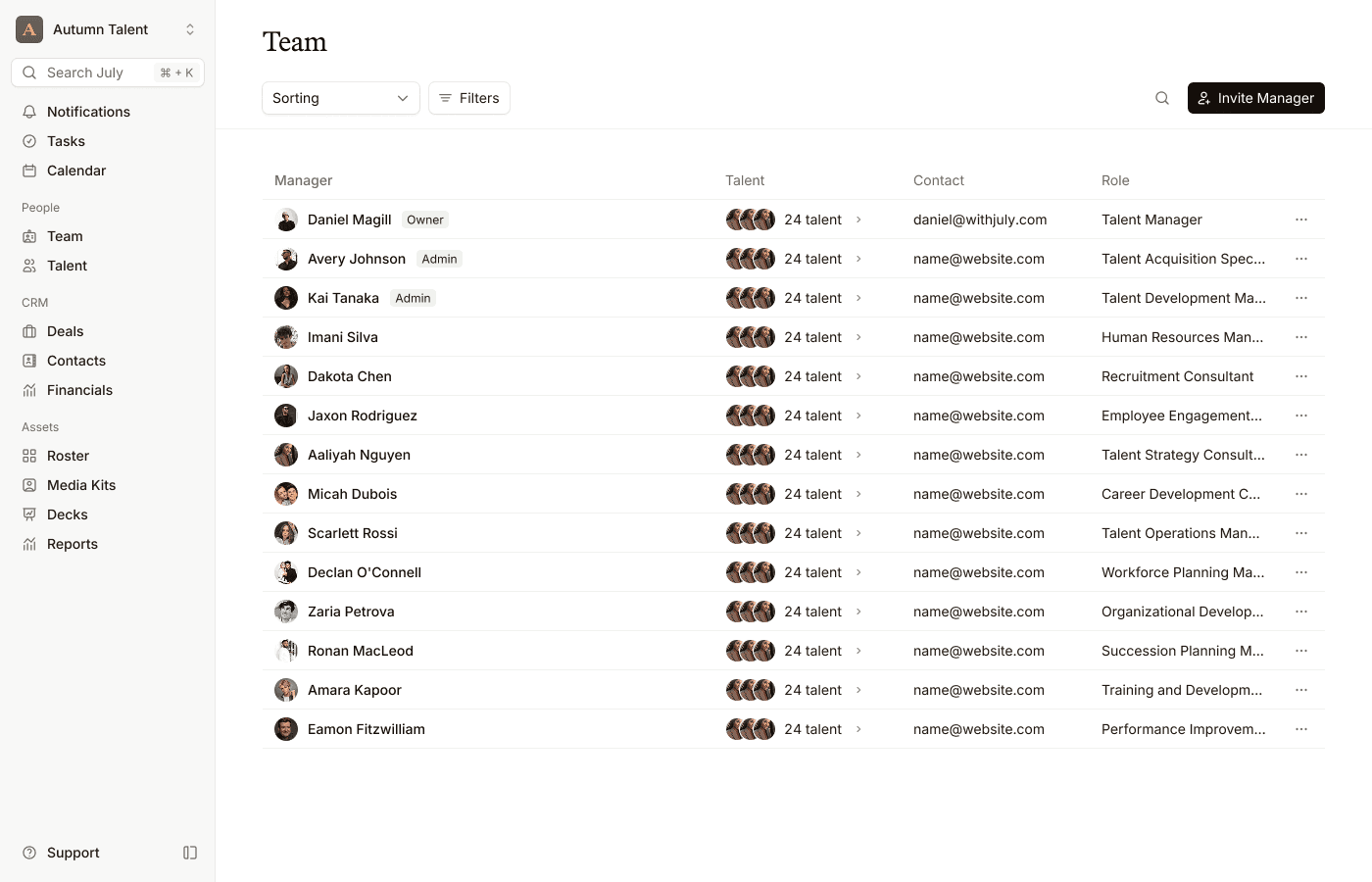
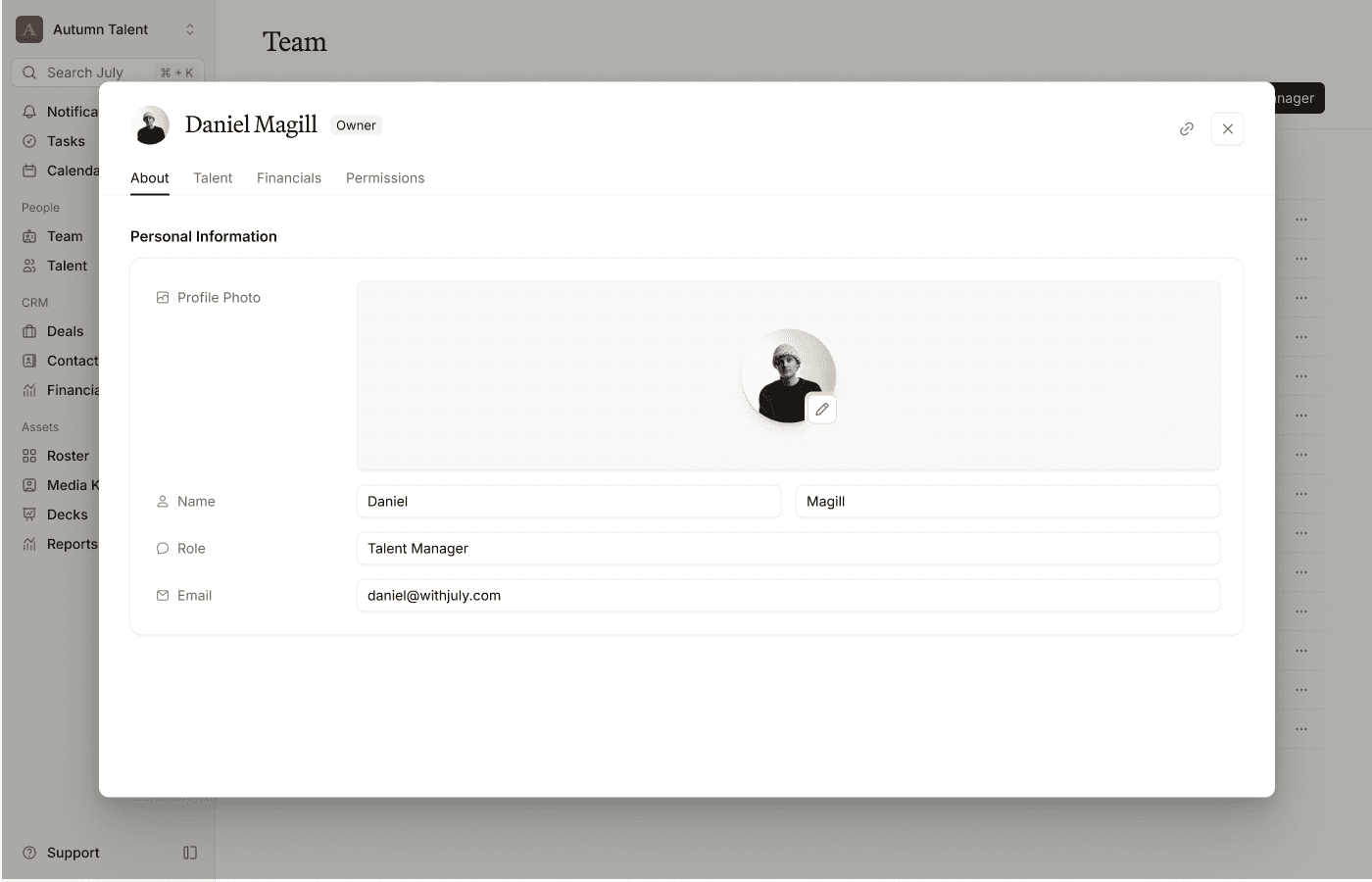
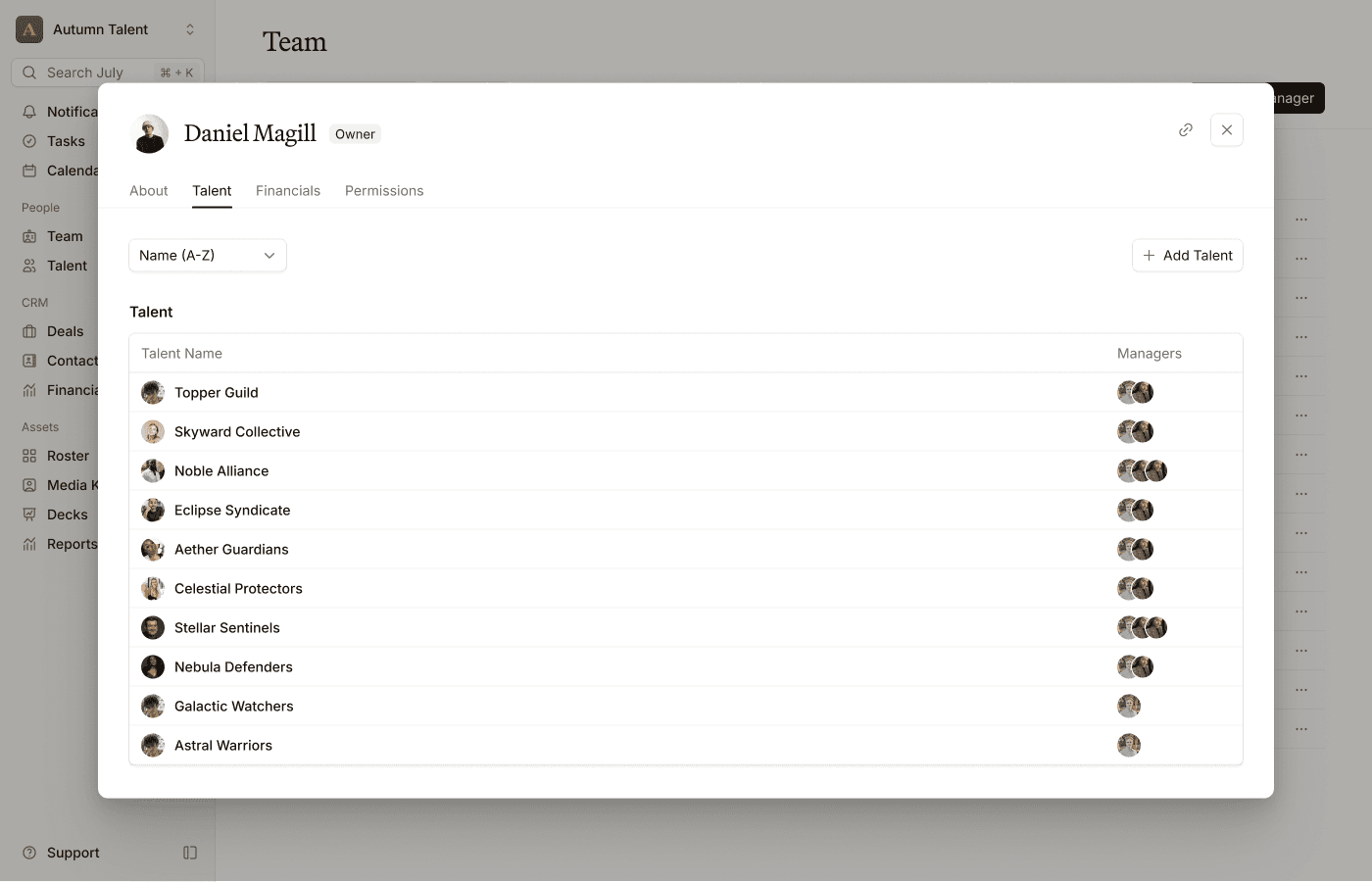
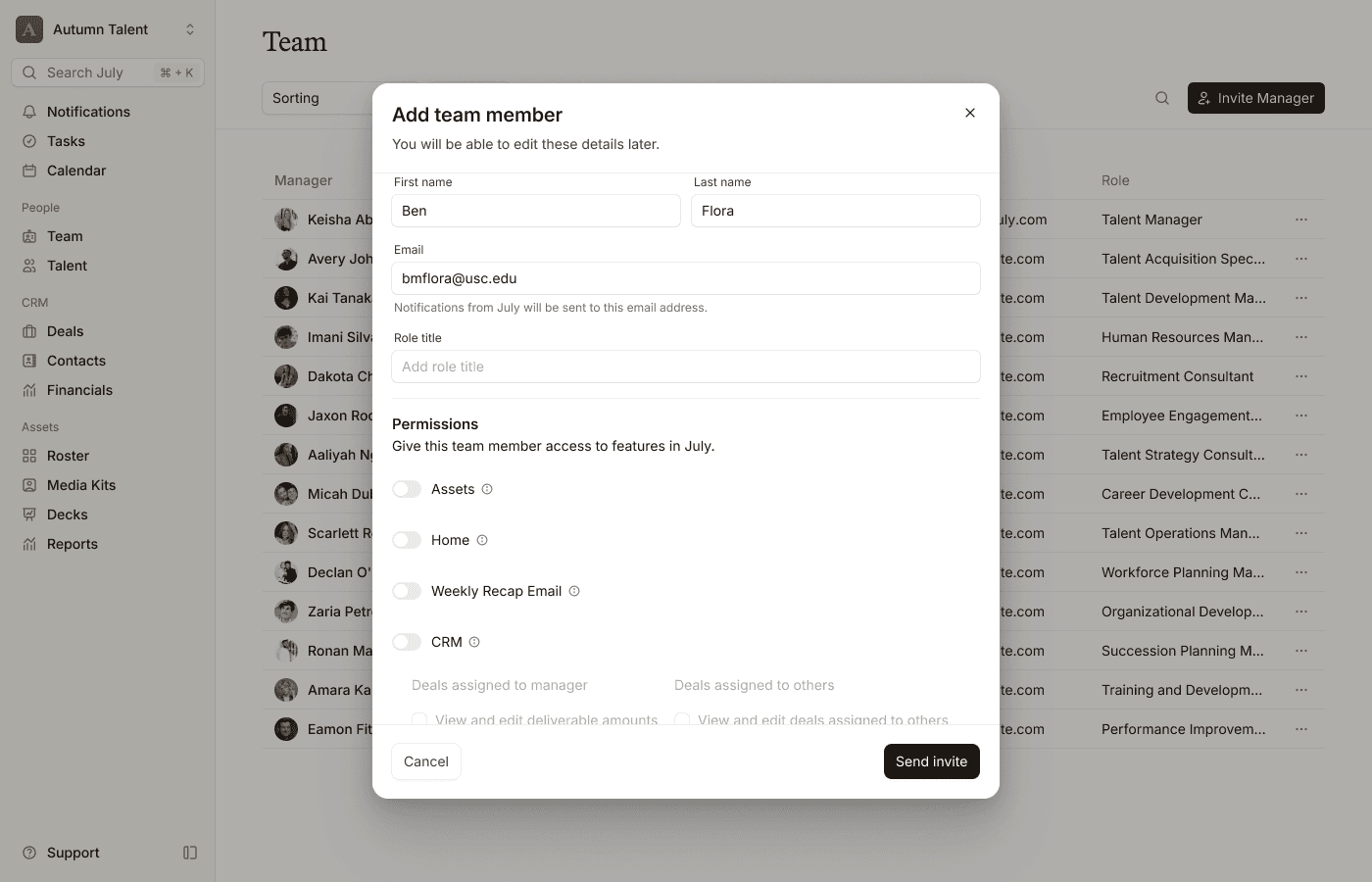
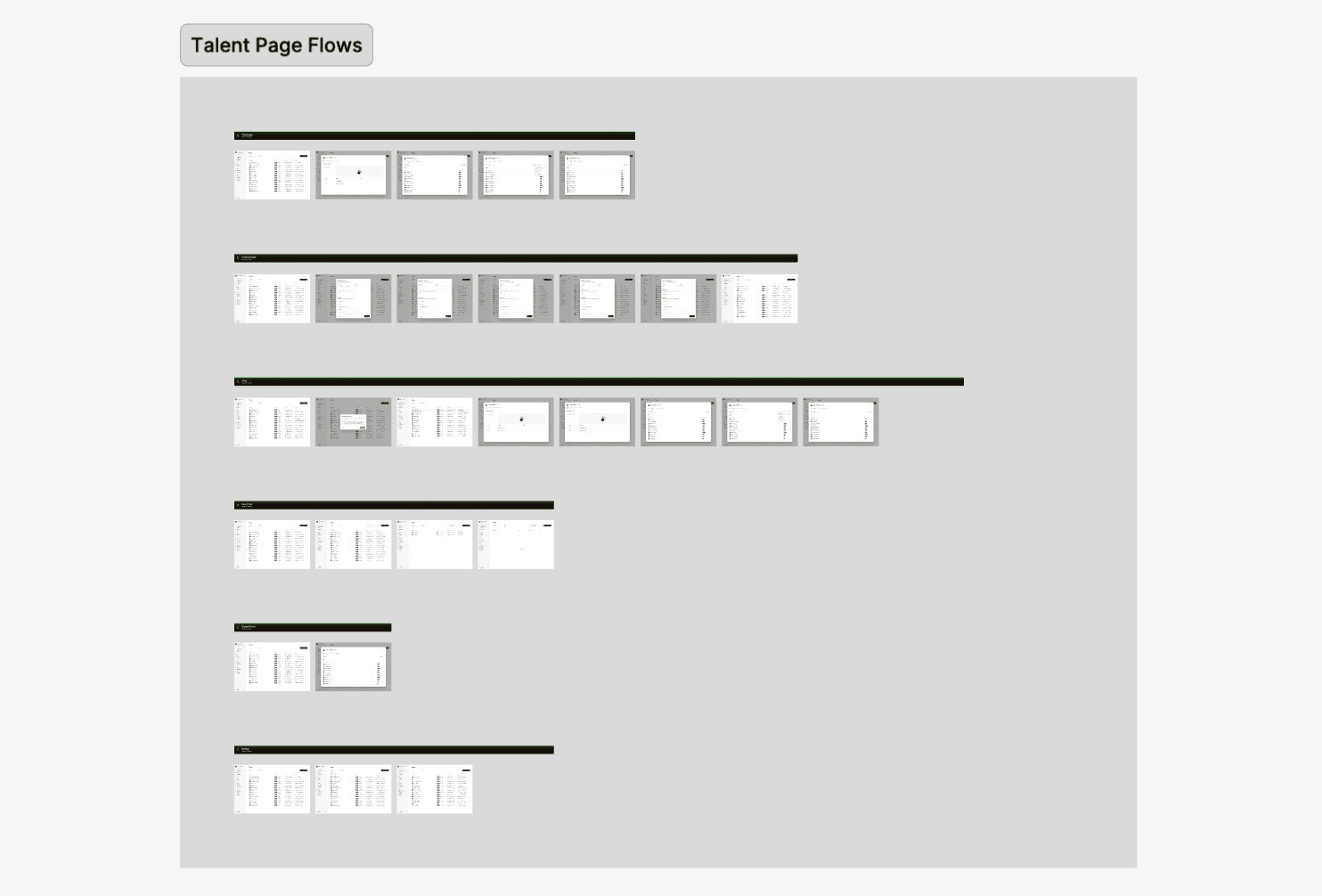
From components to flows, I designed this entire page myself. Within it, there are 6 flows:
Opening user profiles
Inviting new team members
The 3 dot menu
Search bar
Expand talent section
Sorting
Designing this page, I organized my design process into three different segments, separated by team feedback sessions that I organized.
Initial exploration–I didn't worry about components here. I used this time to get all of my ideas out on in a messy file to save time, as polishing would come later.
Following a direction–Once the team decided on one of the ideas I had come up with, I componentized everything in my design and sectioned them off in the master file. This way, it was easier to edit things in bulk (e.g. manager columns).
Prototyping–I organized all of the designs into a section with even spacing. I then wrote down every interaction path a user could go through, and created a new flow titled accordingly. When all was done, I placed cursors where interactions took place, so that the team could understand how the flow worked.
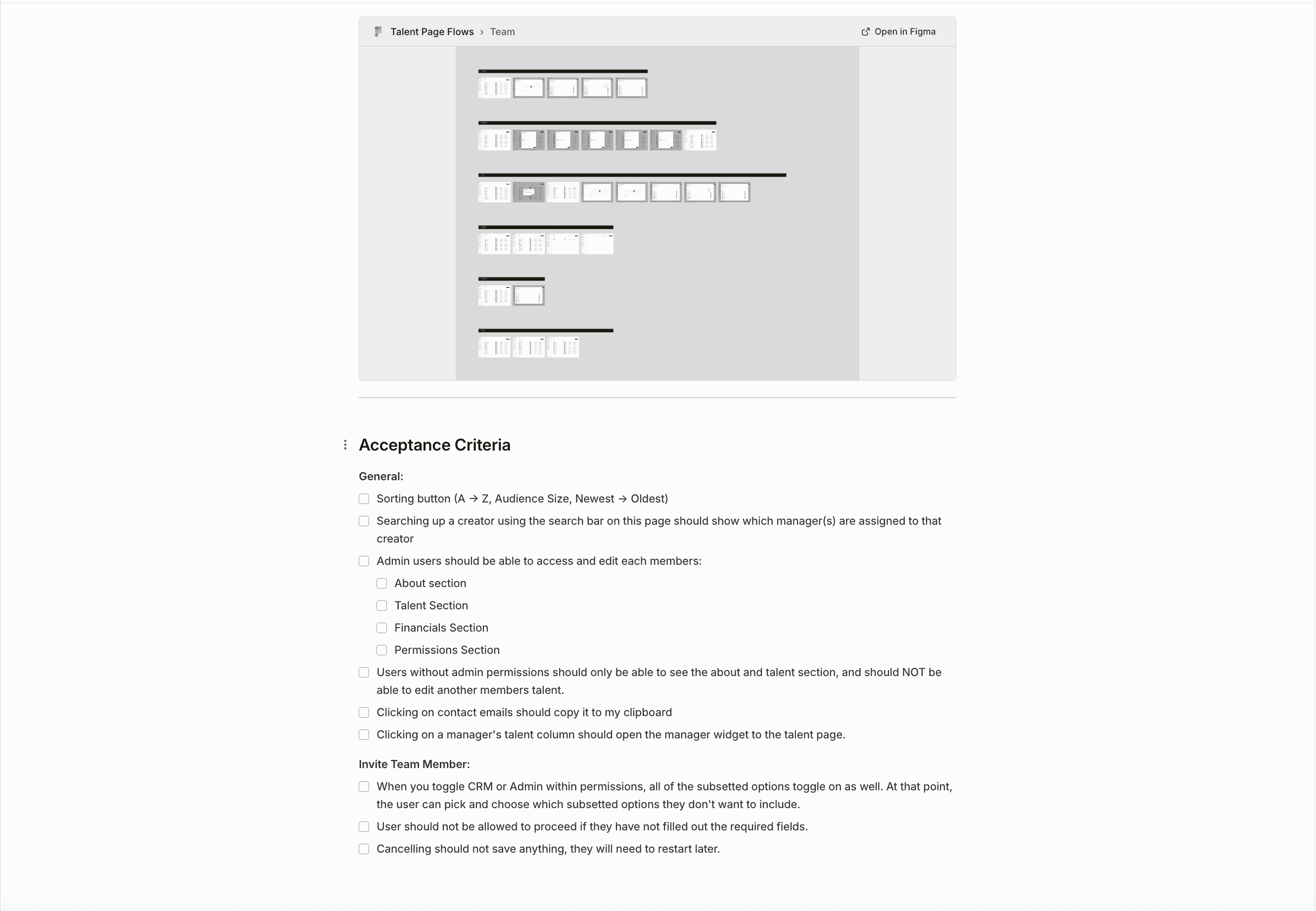
After the designs were polished, and the flows were approved by the team, I moved the project into Linear, creating a "why now" statement, and extensively listing acceptance criteria detailing how every feature and product behavior should work.
Bulk Actions
Some of our customers updated the status of their invoices monthly in one sitting. It was not a very complicated process individually, however if you are managing 20+ deals, it can get very annoying. So we decided to make it possible with just a few clicks.
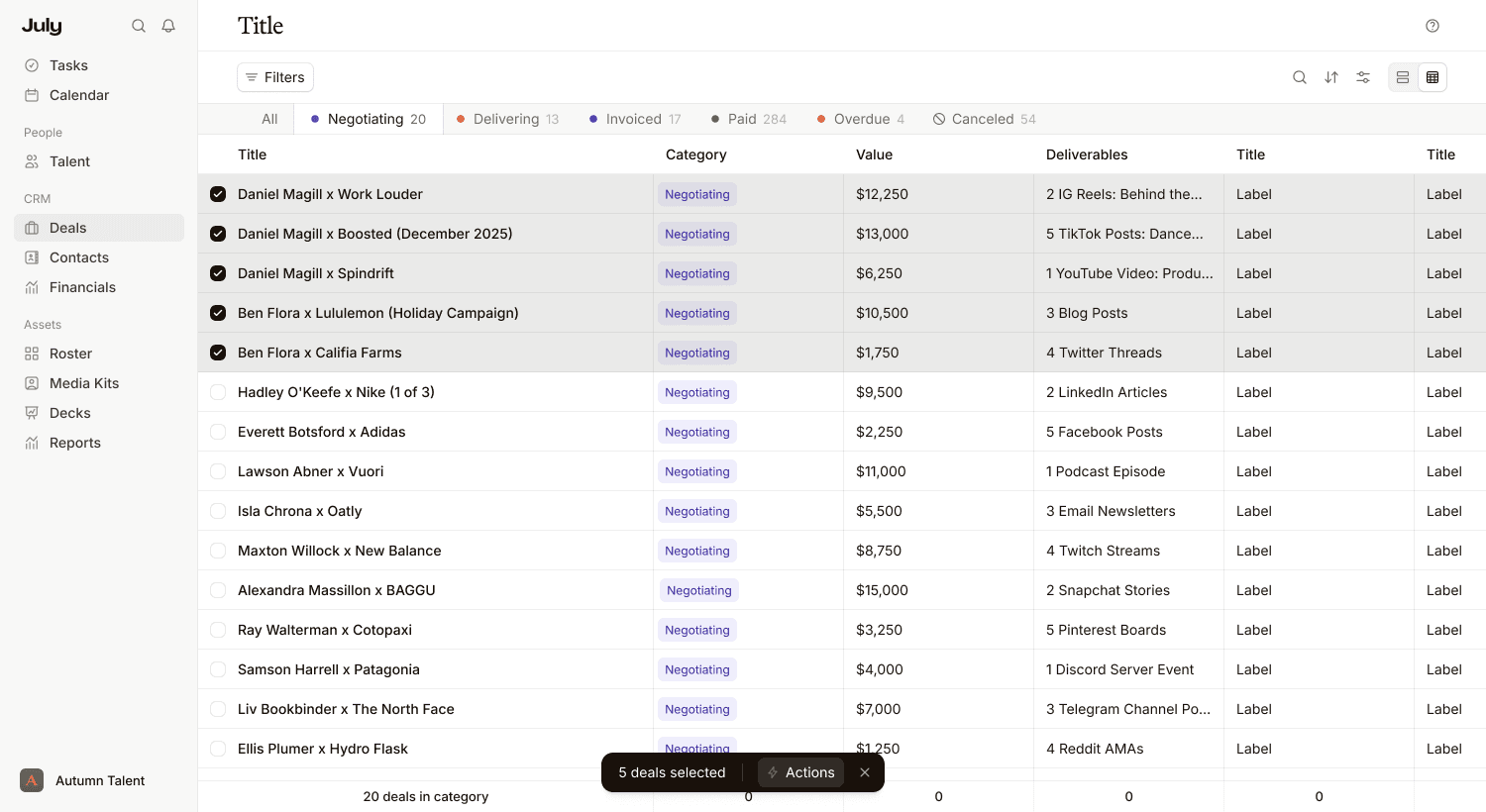
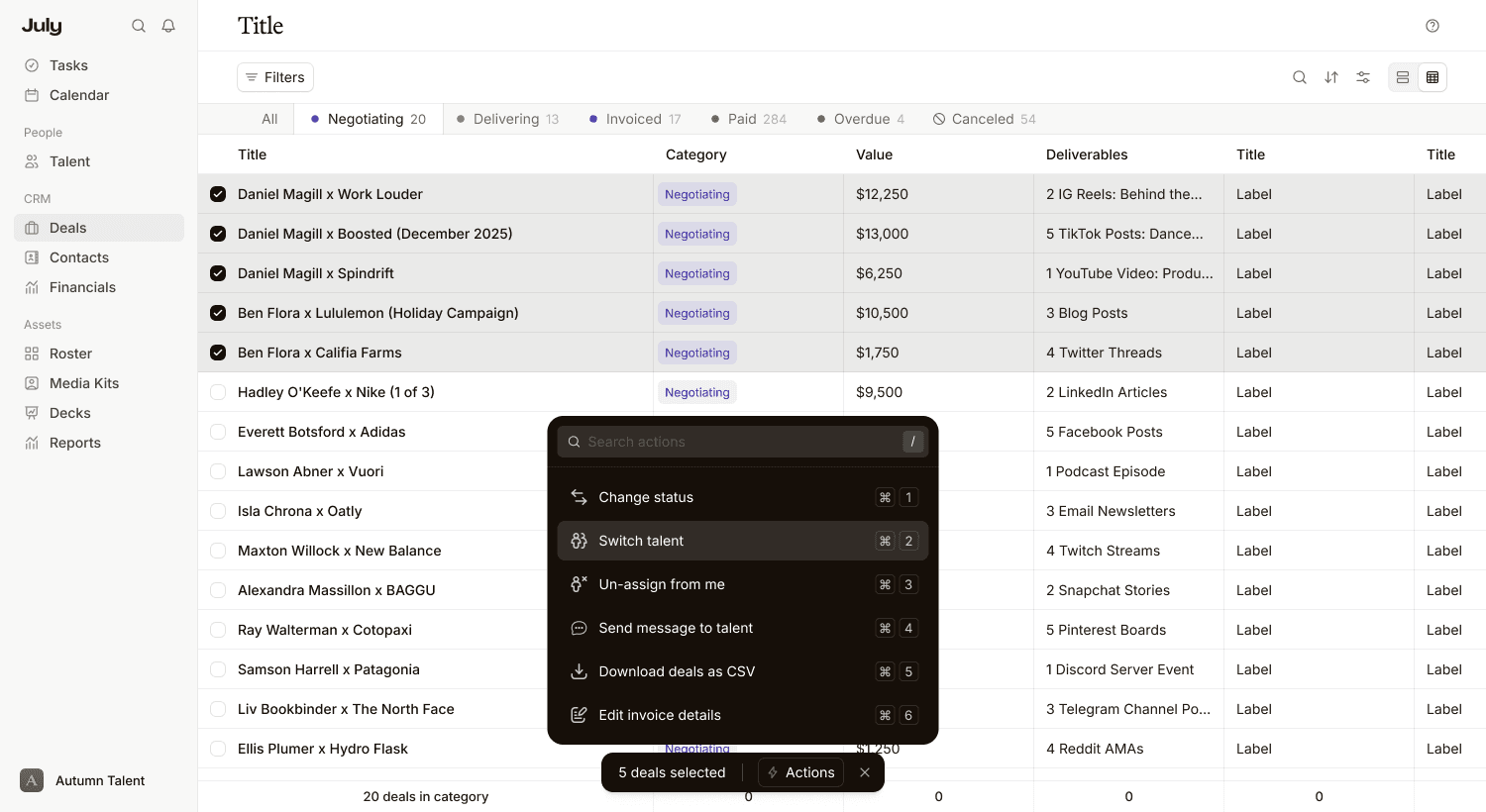
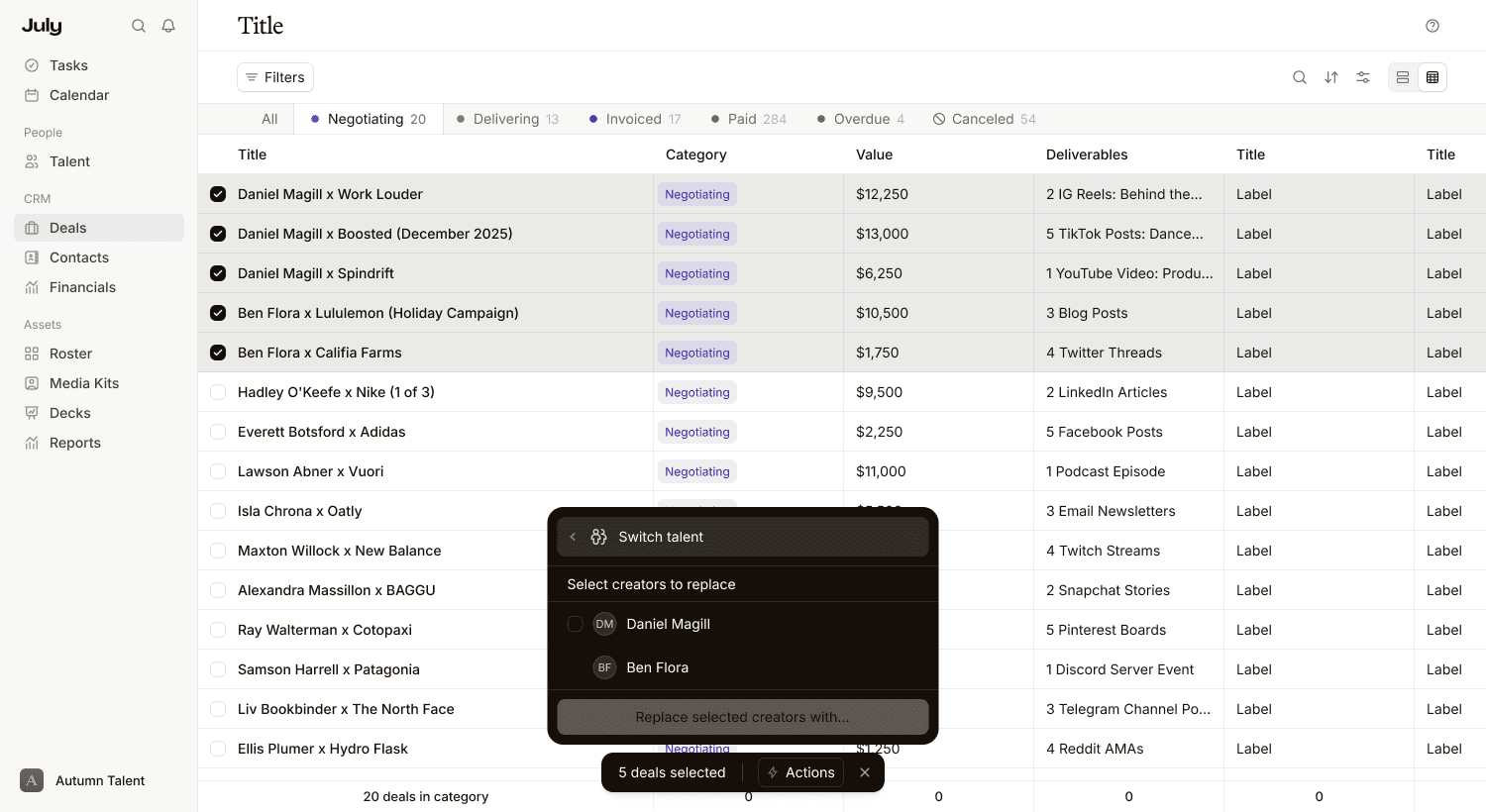
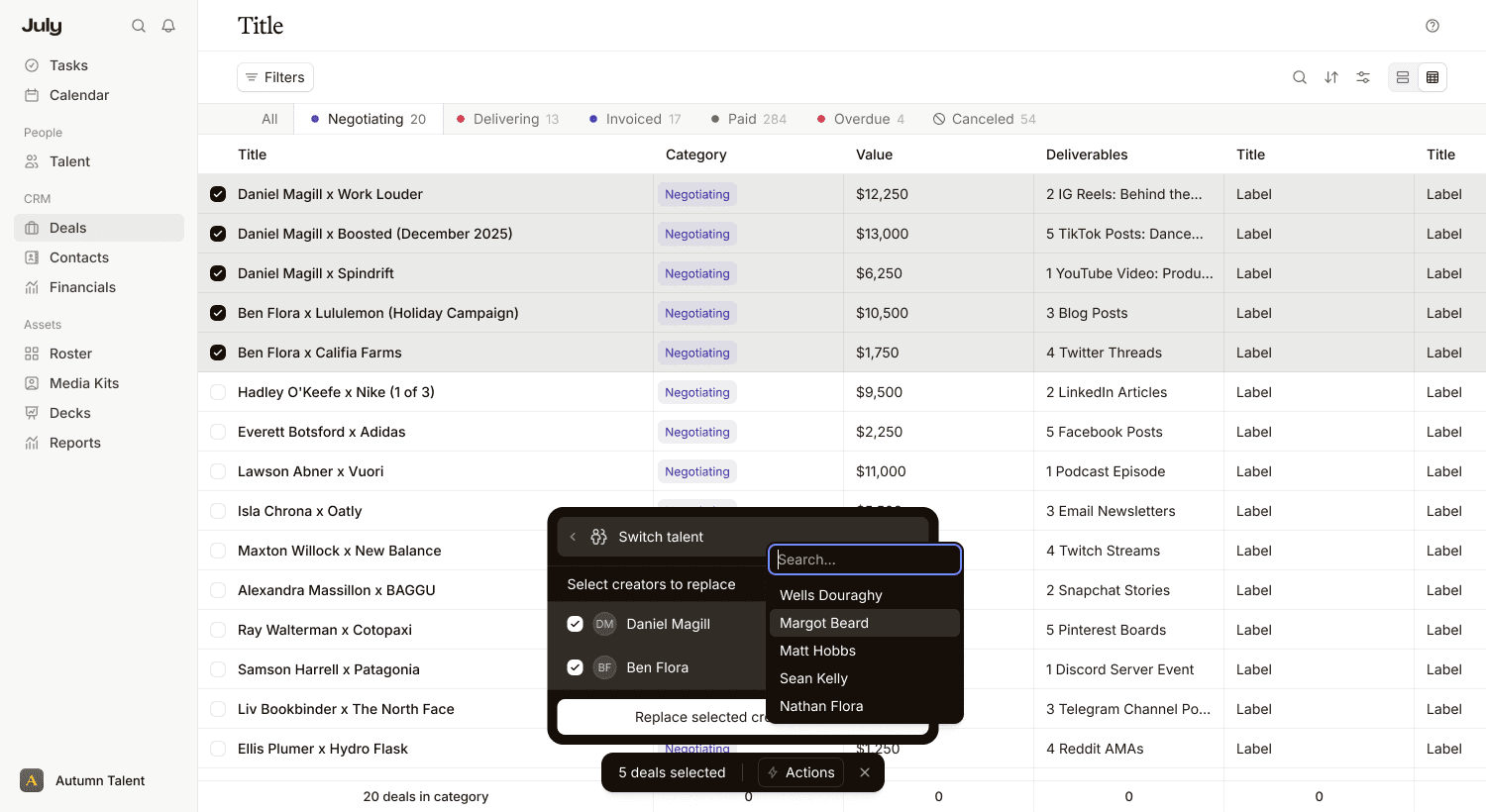
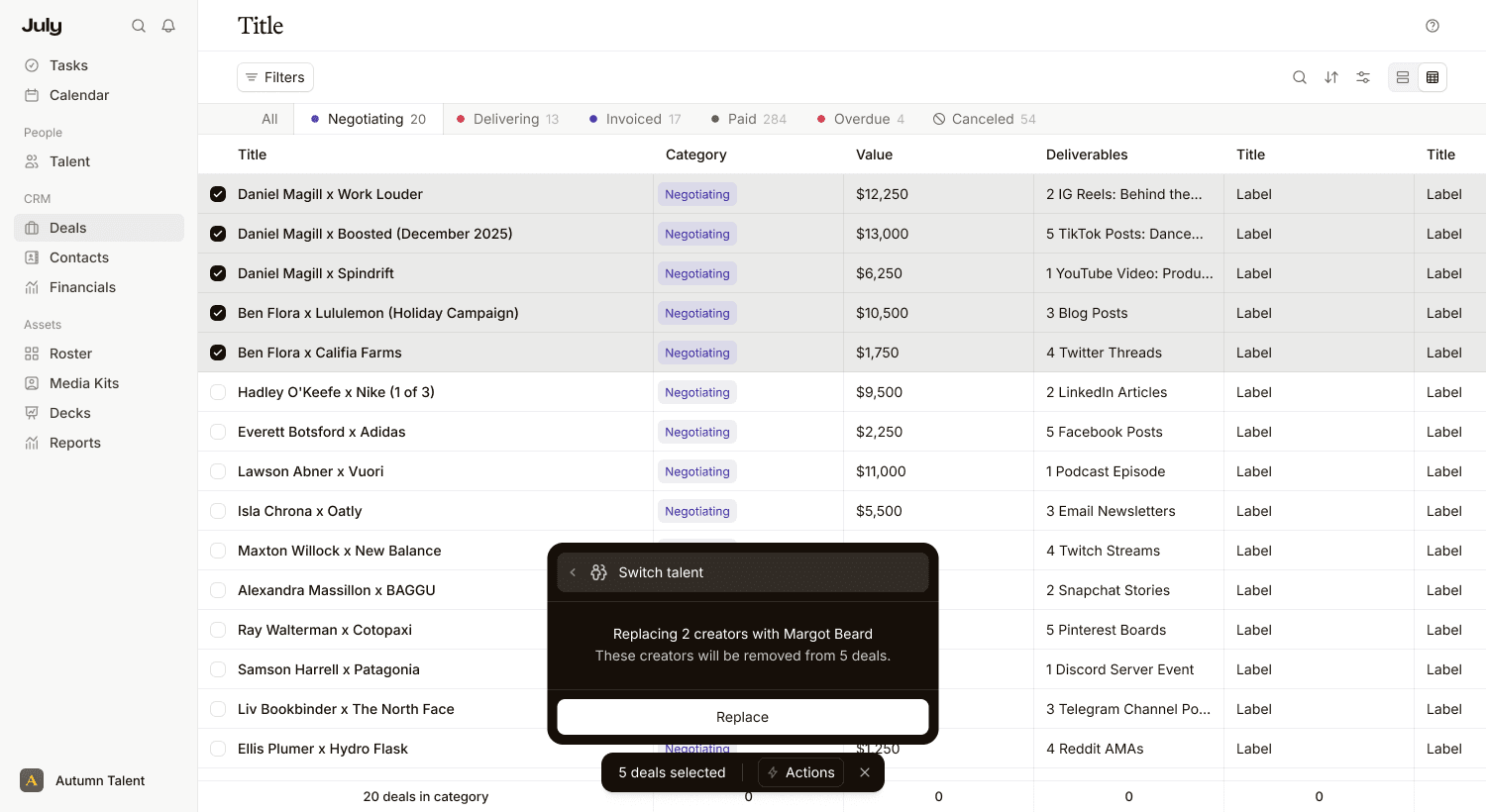
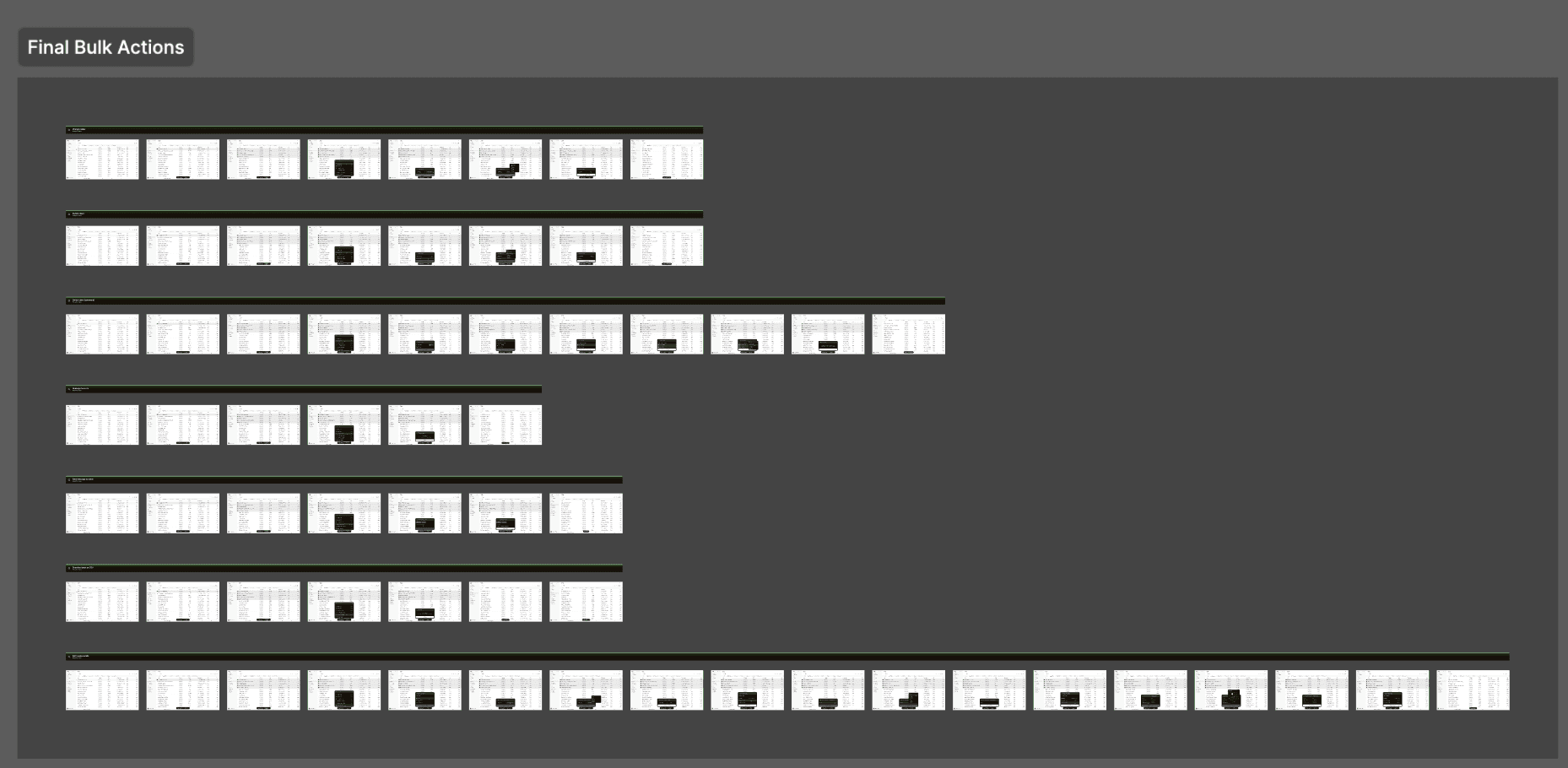
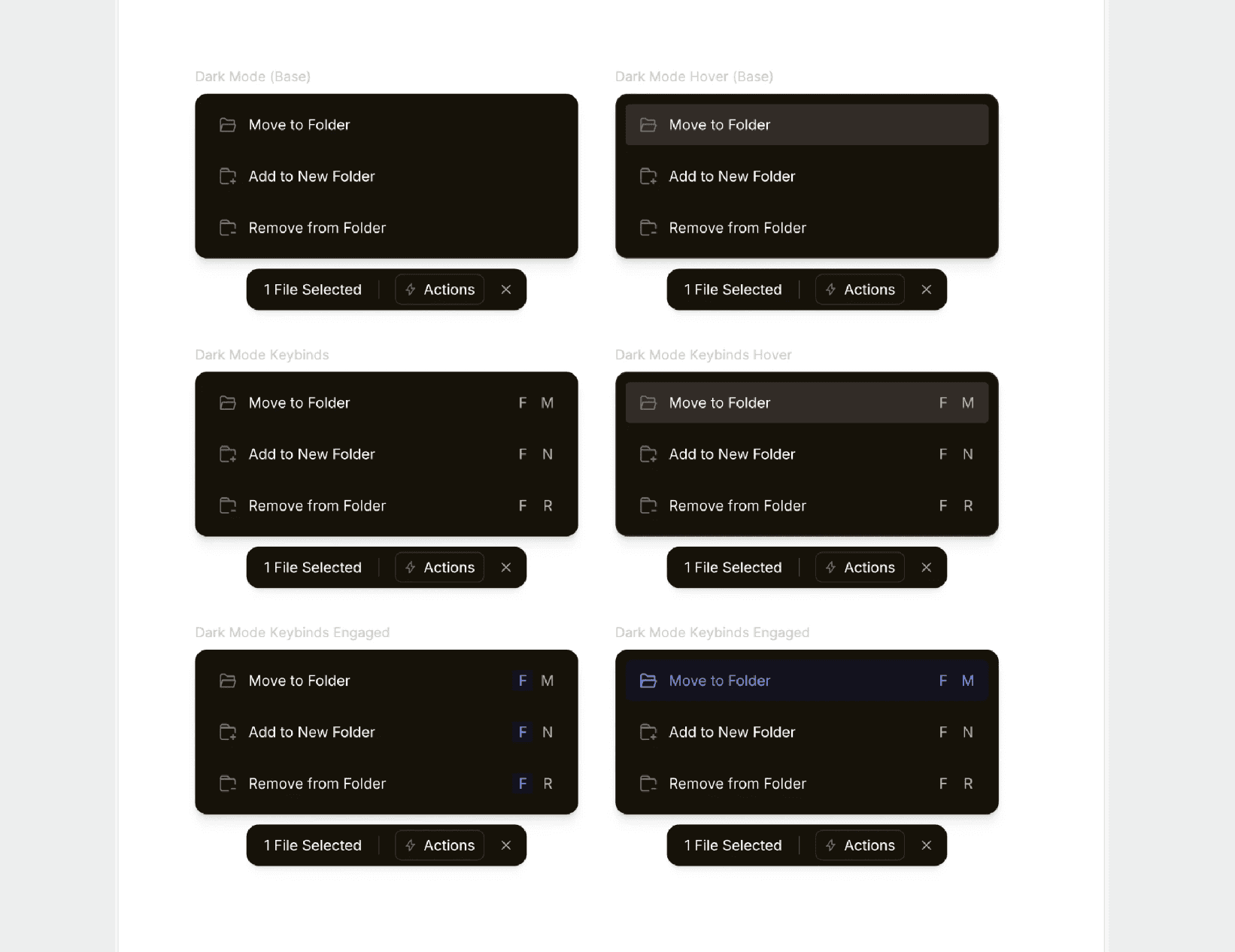
I designed the layout of these bulk actions and created the components from scratch, then designed 7 flows:
Change status
Switch talent
Switch talent (advanced)
Unassign from me
Send message to talent
Download deals as CSV
Edit invoice details
Each of these were tested carefully– I used the customers who frequently run into this issue for feedback, and we received extremely positive comments on the design.
Below pictured are the completed flows (left) and the initial island design (right).